AI Legal Document Drafting — Contracts, NDAs & Agreements
Generate court-ready contracts, NDAs, and corporate resolutions tailored to your jurisdiction — in the correct legal language and format.
Key features
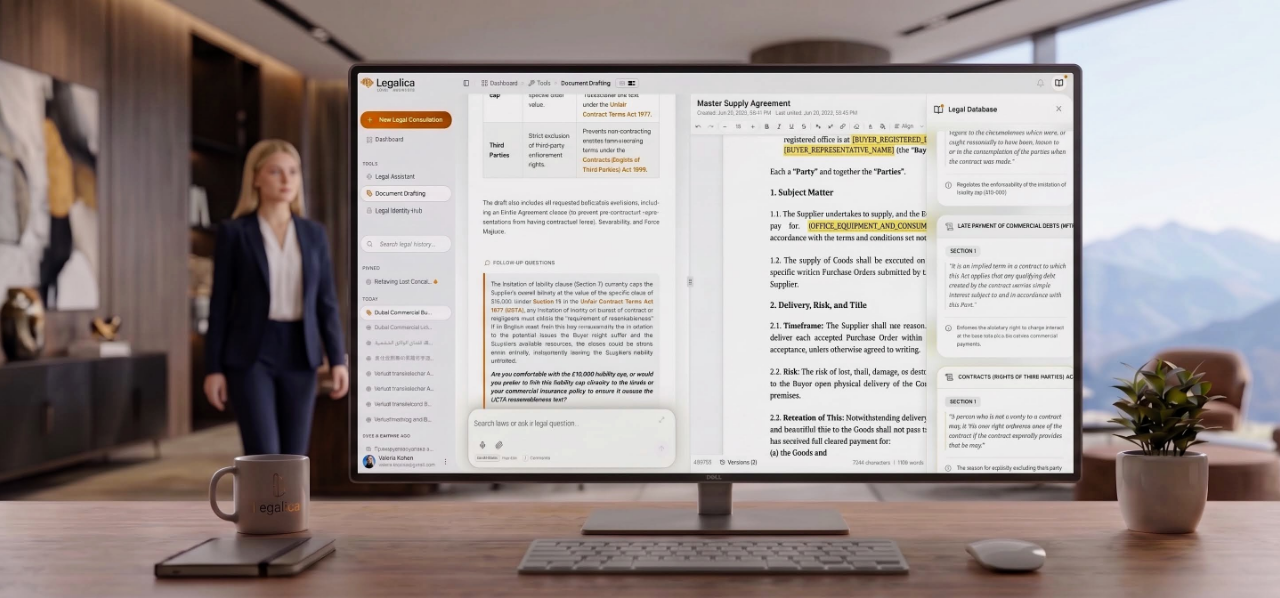
Generate complex legal documents with jurisdiction-specific templates and clauses.
Built-in compliance checking ensures your drafts align with current local regulations.
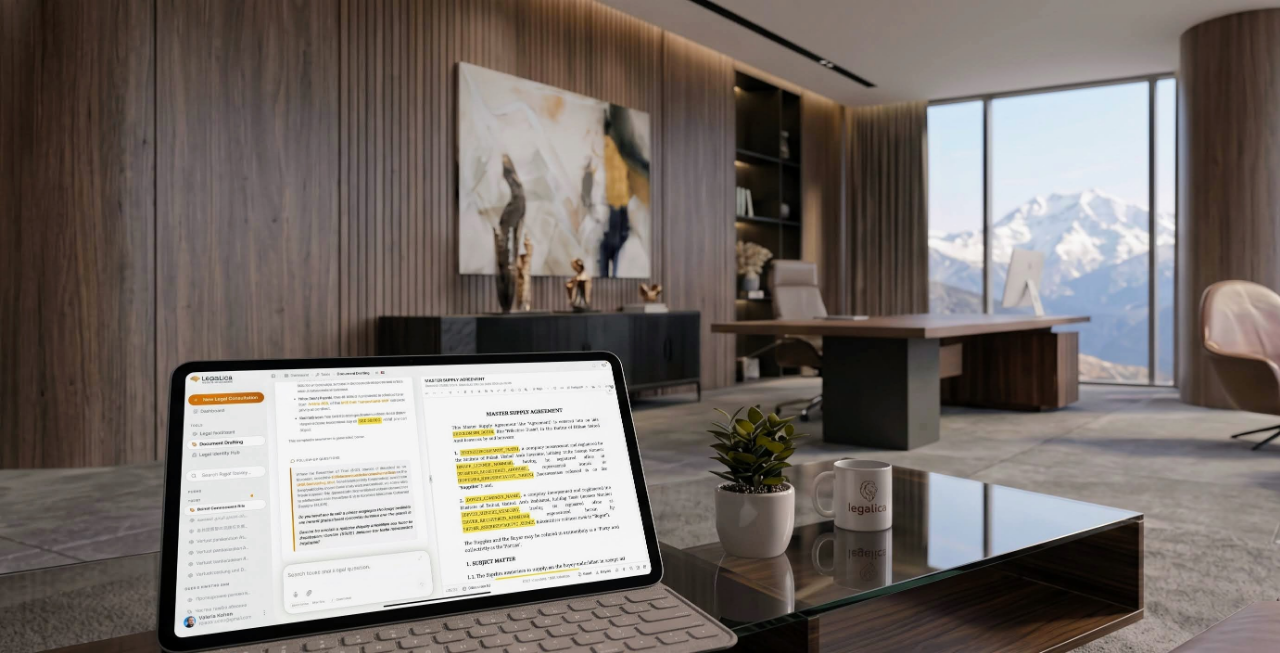
20-version history with automatic save, rollback to any previous version, and change tracking for complete document audit trail.
Import PDF, DOCX, and TXT files for AI-assisted editing. Export to Word, Google Docs, or PDF with one click. OpenDocument format support included.
What Makes Legalica's Document Drafting Different?
Most legal AI tools generate plain text documents that require extensive manual reformatting. Legalica's Document Drafting Workspace combines a professional-grade WYSIWYG legal editor with jurisdictional intelligence that understands how legal documents should look, read, and be structured in 324 jurisdictions.
The Lexical WYSIWYG Legal Editor
Built on Meta's Lexical framework, the editor provides a premium writing experience tailored for legal documents.
Legal Typography
The editor enforces standardized legal document formatting:
- Justified paragraphs — proper legal text alignment
- Centered uppercase headings — for document titles and official headers
- Structured subsections — numbered and hierarchical
- Professional lists — for enumerated clauses and conditions
Floating Toolbar & Context Menu
Highlight any text in the editor to access three powerful AI actions:
Cognitive Jurisdictional Drafting Protocol (CJDP)
When you request a document, the AI engine switches to Senior Partner Drafting Mode and follows a strict protocol that ensures every document is jurisdictionally accurate.
How CJDP Works
- Document type detection: AI identifies the requested document (contract, letter, notice, appeal, etc.)
- Jurisdiction loading: The Prismatic Resolution Chain loads the correct legal profile for the target jurisdiction
- Formatting selection: AI selects the appropriate document template and formatting style
- Content generation: The document is generated as clean, structured content in the editor
- Strategic review: The AI adds a strategic review highlighting legal risks and asking clarifying questions
Jurisdictional Formatting Examples
Interactive Yellow Placeholders
Variable fields in documents are automatically wrapped in smart placeholder tags that make completion intuitive and error-free.
How Placeholders Work
- Visual: Amber-yellow background with underline — immediately visible in the document
- Interactive: Click any placeholder to type directly into it
- Cross-language: For foreign-language documents, placeholder labels remain in your chat language. Example: a German contract will have placeholders labeled in English ("[Party Name]") so you know what to fill in, even if you do not read German.
Common Placeholder Types
Incremental Editing — Change Only What You Need
Unlike other AI tools that rewrite the entire document for every small change, Legalica supports incremental editing — change one clause without rewriting the document.
How It Works
- Highlight the section you want to modify
- Tell the AI what to change — e.g., "Make this indemnity clause more vendor-friendly" or "Add a force majeure provision here"
- AI modifies only that section, wrapping new or changed content in
<span class="ai-new-content">tags - Visual diff: New content appears highlighted in green; the rest of your document (including manually filled placeholders) remains unchanged
- Accept or reject: Review the change before committing it
Version History
Every save creates a snapshot. Legalica keeps up to 20 historical versions of every document:
- Compare any two versions side-by-side
- Revert to any previous state with one click
- View a timeline of all changes with timestamps
Import & Integration
OCR Document Import
Upload scanned PDFs or photos of paper documents:
- AI extracts clean text via OCR
- Text is loaded into the Lexical editor
- You can edit, annotate, or use AI to compare against templates
Google Drive Integration
The built-in Google Drive picker lets you:
- Browse folders and files in your Google Drive
- Select contract templates, agreements, or PDF files
- Import directly into the editor for AI-assisted revision
Saved Clause Library
Build your personal collection of reusable legal clauses:
- Save any text: Highlight a clause → "Save to Library" → AI suggests a descriptive title
- Organize: Categorize by jurisdiction, document type, or practice area
- Reuse: Insert saved clauses into any new document with one click
- Access control: Template management restricted to workspace administrators
Post-Draft Strategic Review
Every generated document closes with a private counsel note:
- Legal risk explanation: One specific risk under applicable local law
- Proposed modifications: Exact changes to mitigate the risk
- Clarifying questions: 1-2 targeted questions in bold-italic to refine the document
Example 1 — German Employment Termination (§ 314 BGB):
"Under § 314 BGB, termination of a continuing obligation for compelling reason (Kündigung aus wichtigem Grund) requires prior written warning (Abmahnung) under § 314(2) BGB. The written form requirement under § 623 BGB mandates signed document or qualified electronic signature. Should I add a Zugangsbestätigung (receipt confirmation) clause and verify the 3-week cure period has elapsed?"
Example 2 — New York Commercial Contract (UCC § 2-609):
"Under New York UCC § 2-609, when reasonable grounds for insecurity arise regarding the other party's performance, the insecure party may demand adequate assurance in writing. Failure to provide such assurance within 30 days constitutes repudiation under § 2-609(4). Should I prepare a formal Demand for Adequate Assurance of Performance?"
Example 3 — UAE Civil Contract (Art. 273, Federal Decree-Law No. 25/2025):
"Under Article 273 of the UAE Civil Transactions Law, where performance becomes impossible due to force majeure, the contract may be terminated and parties restored to pre-contract position. The new Article 121 adds pre-contractual good faith duties. Should I add a force majeure allocation clause and a renegotiation provision under Article 533 (change of circumstances)?"
Security & Privacy
- Zero-Data Retention: Drafted documents are never used to train AI models
- End-to-end encryption: TLS 1.3 for all data in transit
- EU-hosted storage: Documents stored in Google Cloud Frankfurt (europe-west3)
- Version control: All 20 versions encrypted at rest with AES-256
- No third-party access: Only you and your authorized workspace members can access your documents
Use Cases
Contract drafting: Generate jurisdictionally compliant NDAs, service agreements, employment contracts, and sale/purchase agreements in the correct legal language and format.
Legal notices: Draft termination notices, demand letters, appeals, and procedural submissions following local court requirements.
Template adaptation: Import an existing template, then ask AI to adapt it for a different jurisdiction or legal tradition.
Clause optimization: Highlight any clause and ask AI to make it more favorable, add protective provisions, or check compliance with specific regulations.
Cross-border transactions: Draft bilingual contracts with parallel text in two languages, each following its respective legal tradition.
Start drafting legal documents that courts, registries, and counterparties will take seriously.
Start Free Trial — No Credit Card Required · Explore All Features
Legalica's Document Drafting tool generates documents based on AI analysis. It provides legal information, not legal advice. Always consult a qualified attorney licensed in the relevant jurisdiction before executing any document. Laws vary by jurisdiction and are subject to change. AI-generated content should be verified against primary sources.